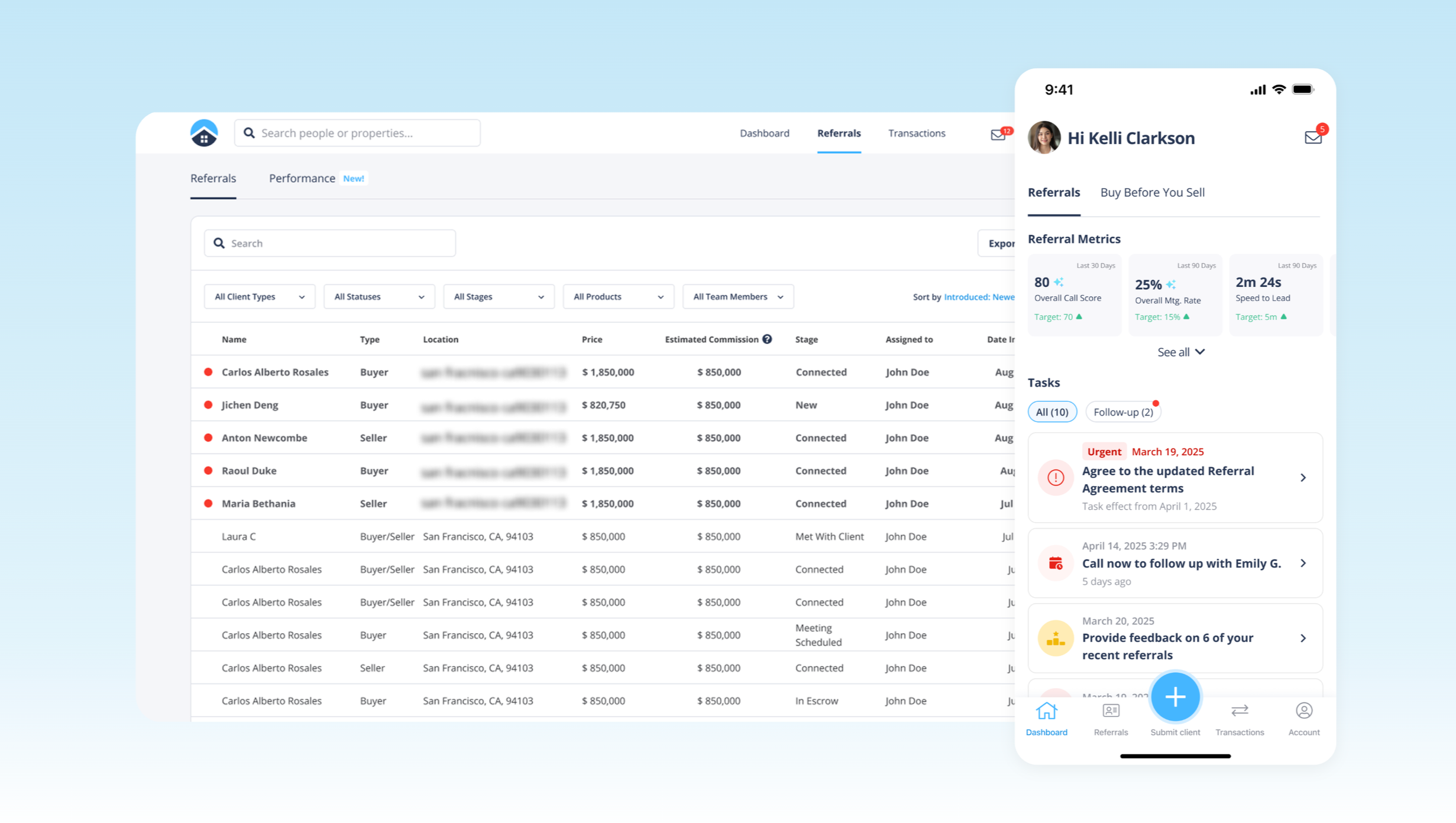
A CRM dashboard to help real estate agents claim new leads, maintain relationships, in-app chat, submit mortgage applications, monitor performance metric with real-time AI suggestion, and manage transactions.
As the lead product designer, I led the end-to-end AI UX strategy from 0→1, shaping CRM workflows that positioned the platform as a trusted partner throughout the complex home buying and selling journey. I focused on aligning product strategy with real user workflows, simplifying high-stakes decision-making for agents. Post-launch, the platform drove an 80% improvement in operational efficiency, achieved a 4.8 App Store rating, and reached 87% adoption among eligible agents in the California pilot.
Problems
HomeLight previously relied on manually sending referrals to real estate agents, a process that didn’t scale. As the company expanded its suite of products, it became essential to provide agents with a more streamlined way to access the tools they need to close deals efficiently.
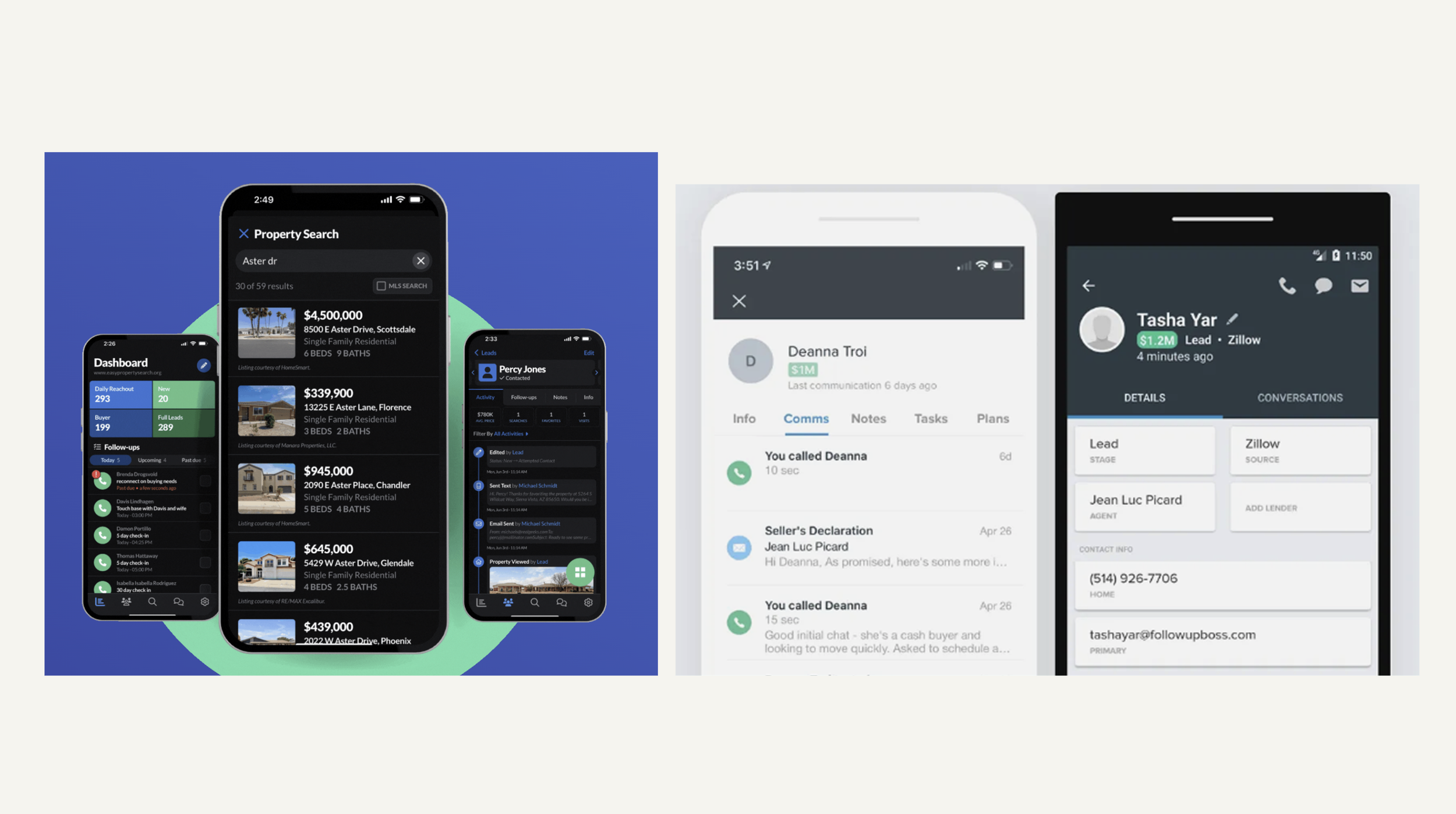
Competitor Analysis
Toola like Follow Up Boss and Real Geeks are mostly focused on large enterprise teams and doesn’t sync up to HomeLight’s products. My goal as a product designer is to design simplified & intuitive CRM that host all of HomeLight’s products.
Long setup flows that required manual configuration and takes weeks
Incompatible with HomeLight’s products.
Team
1 Product designer, 1 Product manager
5 Engineers, 1 Head of Product
Tool
Figma, Adobe Suite, Hotjar, Jitter
Timeline
4 months
Iteration
Rapid Iteration
Quick interviews and unmoderated testing enabled fast convergence to an efficient solution.
Regulatory First
Working with regulations from day one is critical for viable business models in financial and real estate markets.
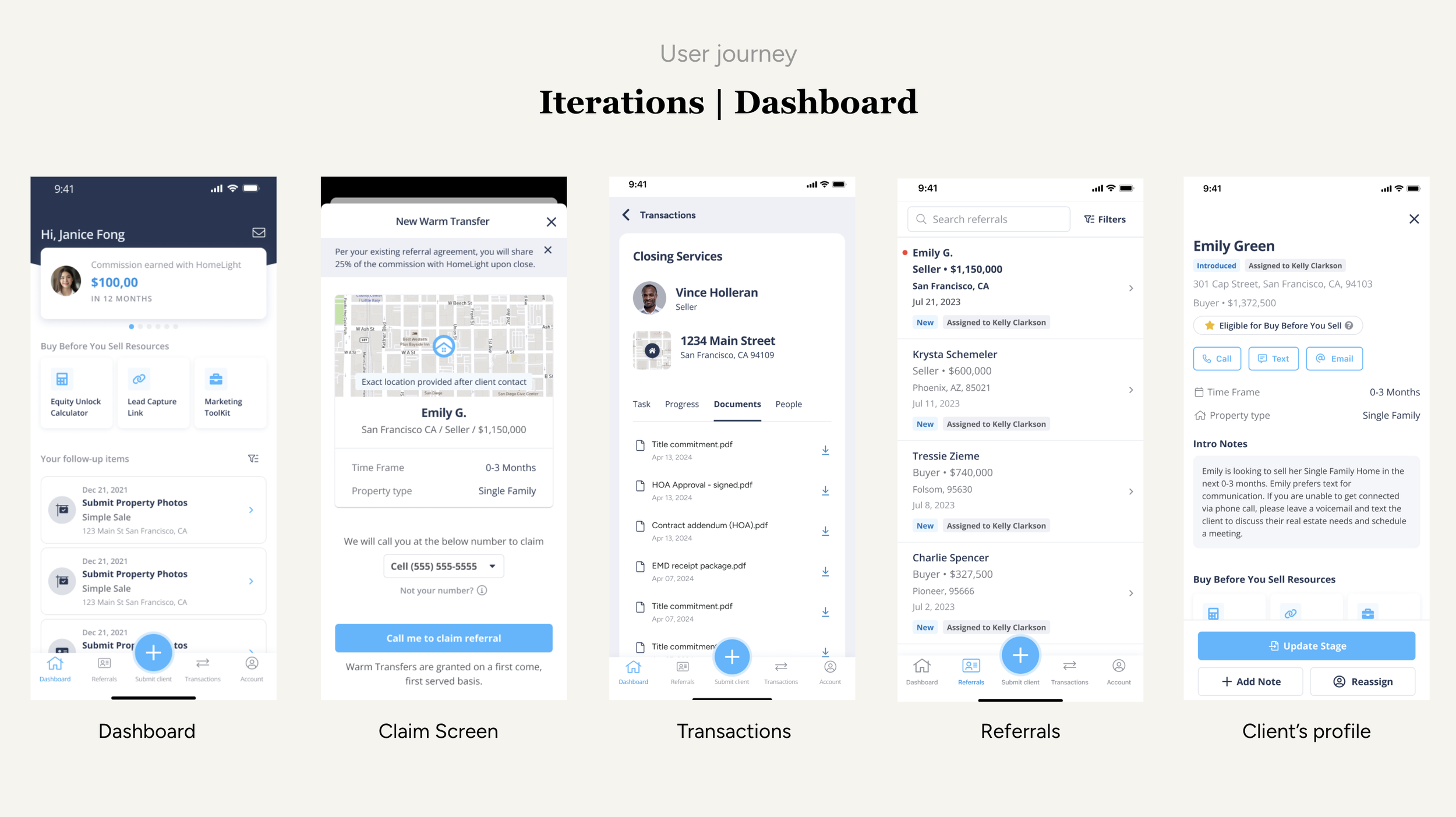
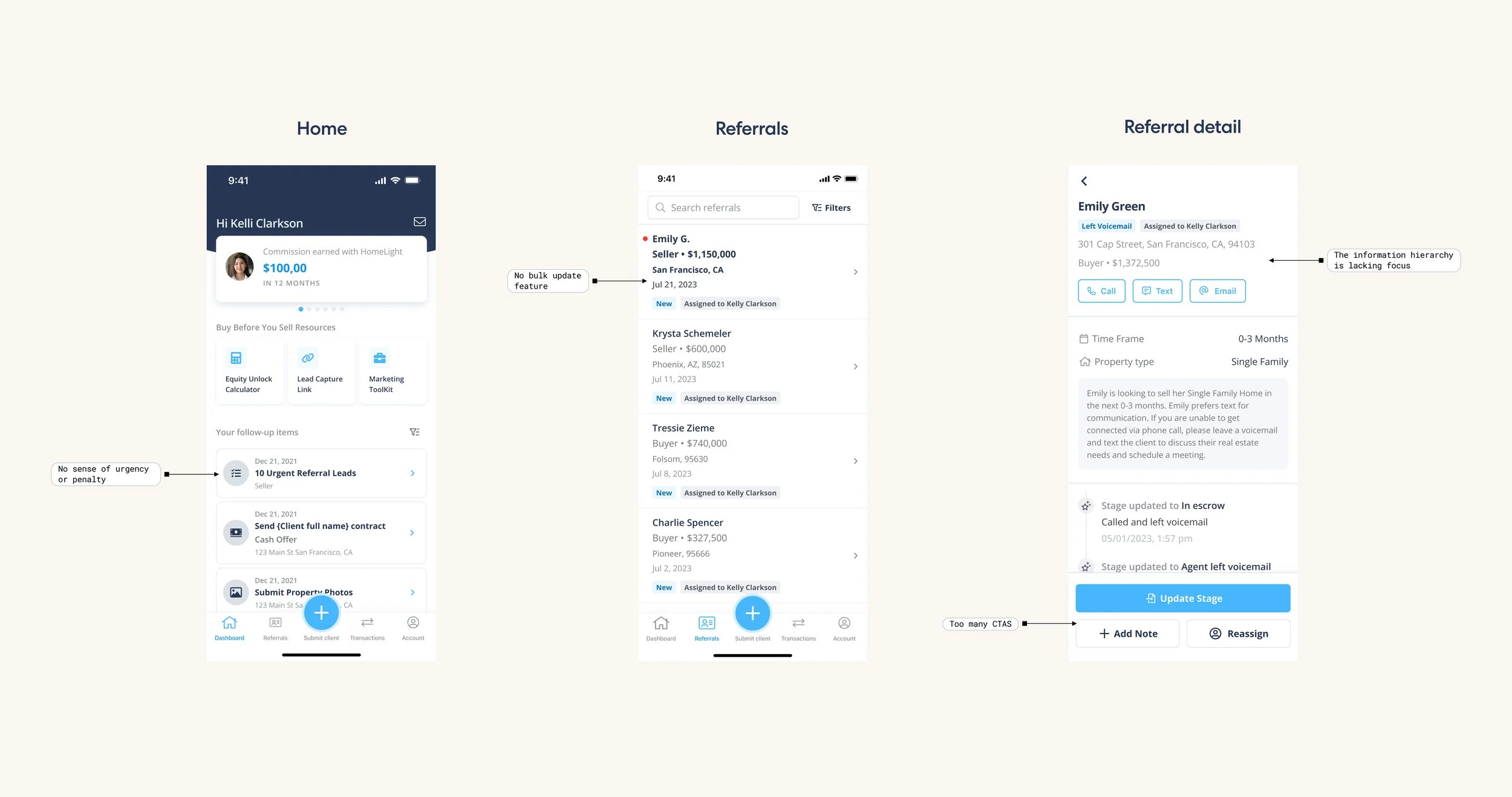
We decided to go with this iteration.
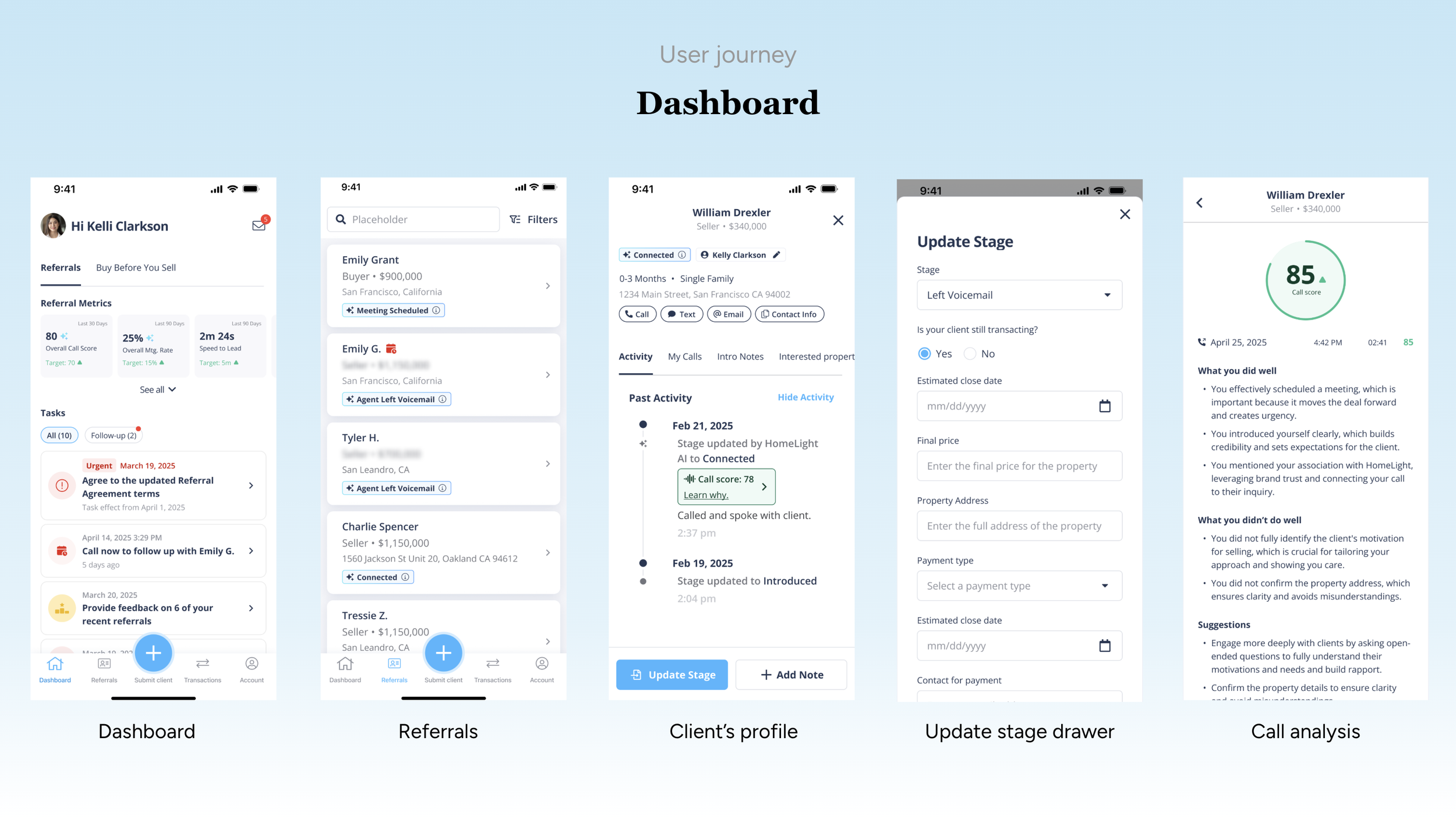
Clear hierarchy
Metrics are clean, scannable, and color-coded based on performance
Tasks are organized chronologically and differentiated by follow-up and urgent
How it works
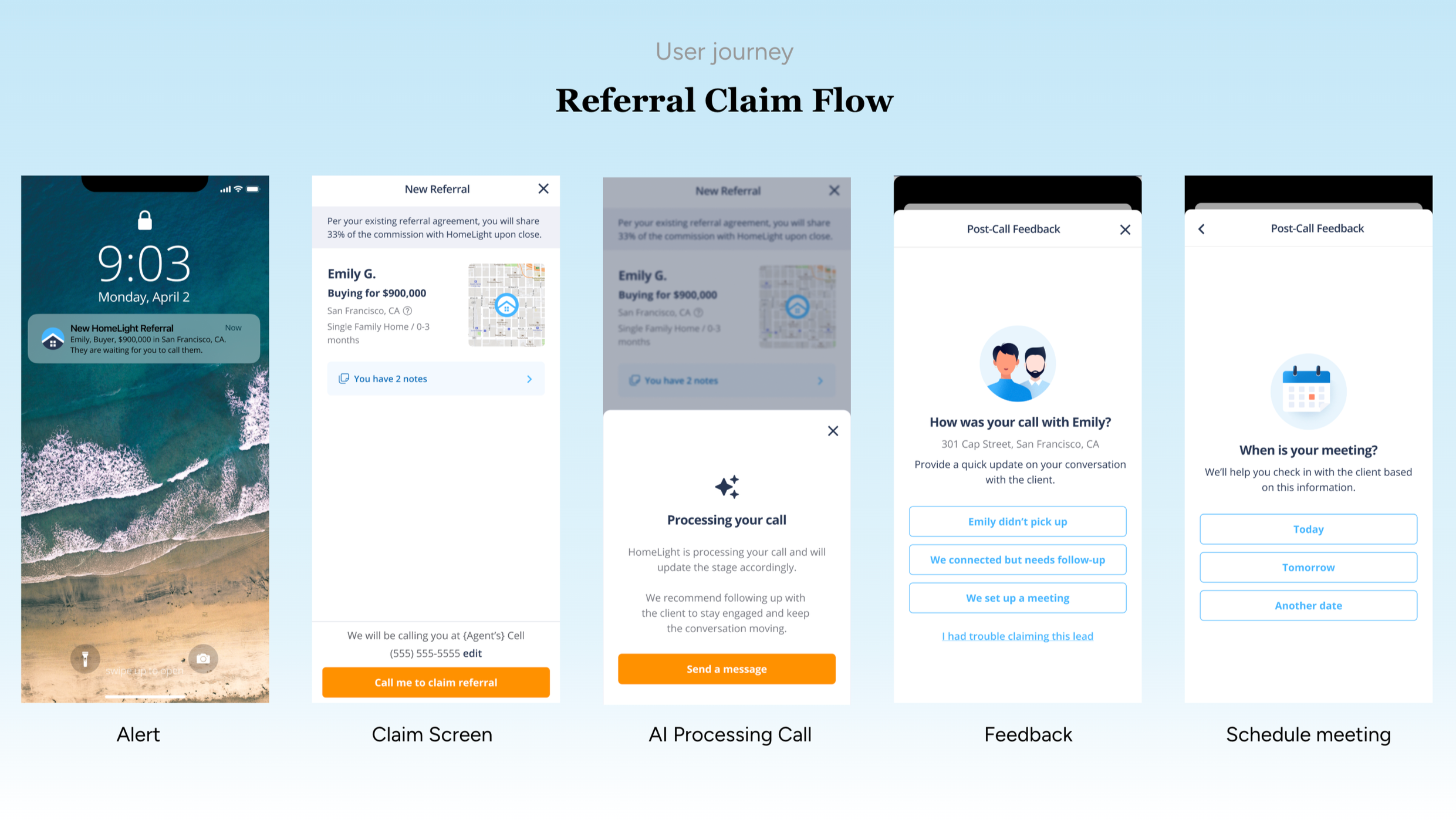
HomeLight sends you a direct Email, Push Notification through the app, or SMS to notify you of the opportunity to connect with your new HomeLight referral.
Once you select the link within the Push Notification or SMS, real estate agents will be redirected to the mobile App to continue the claiming process
In the app, select “Call me to Claim Referral” to accept the HomeLight referral. This will allow our system to initiate a call directly to you, making the referral-claiming process easier!
After you accept the phone call, the referral will be claimed, allowing you to reach out to the client directly to connect.
Follow Up
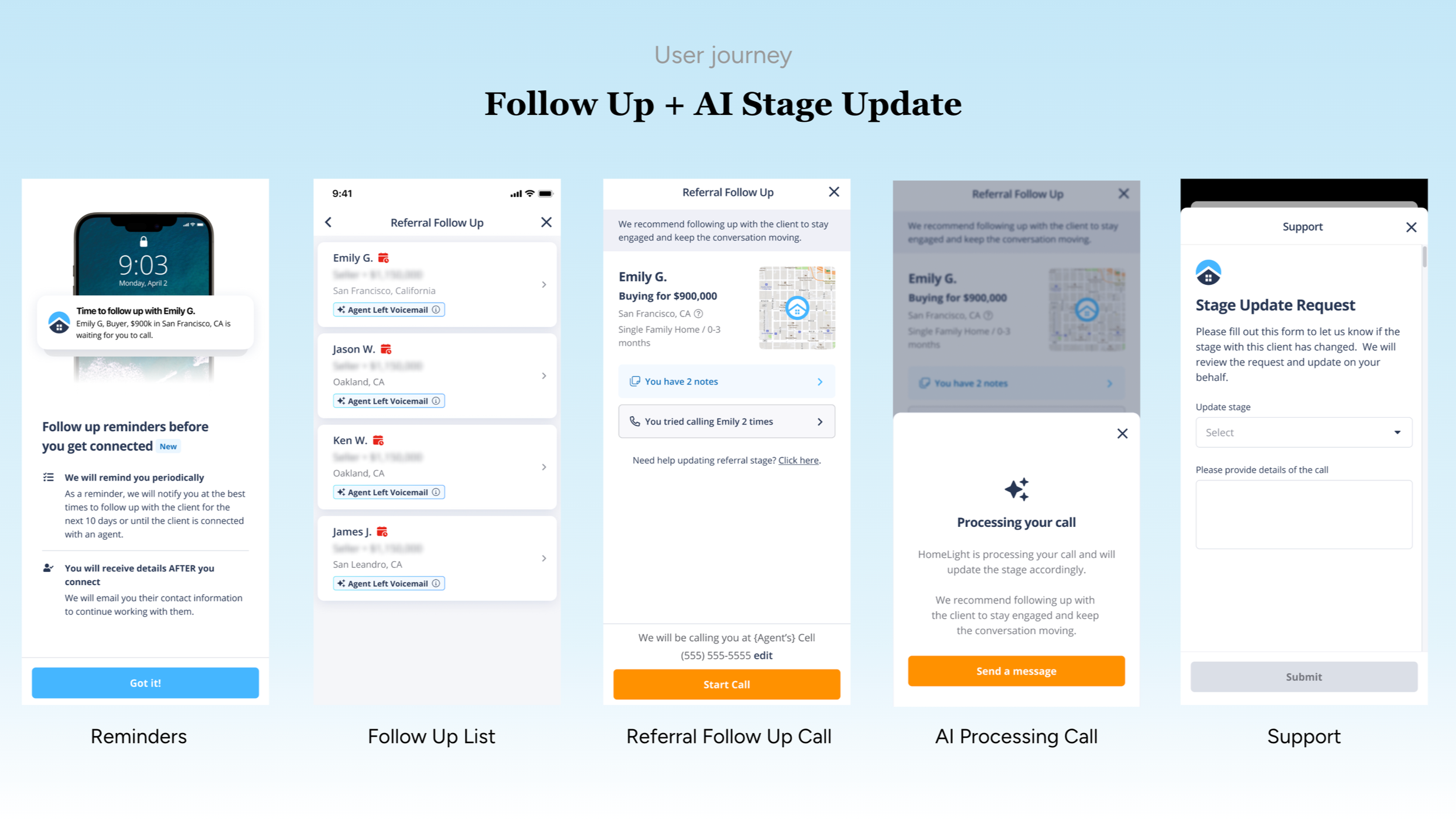
Nurturing cadence that guides agents to follow up with clients to increase connected rate.
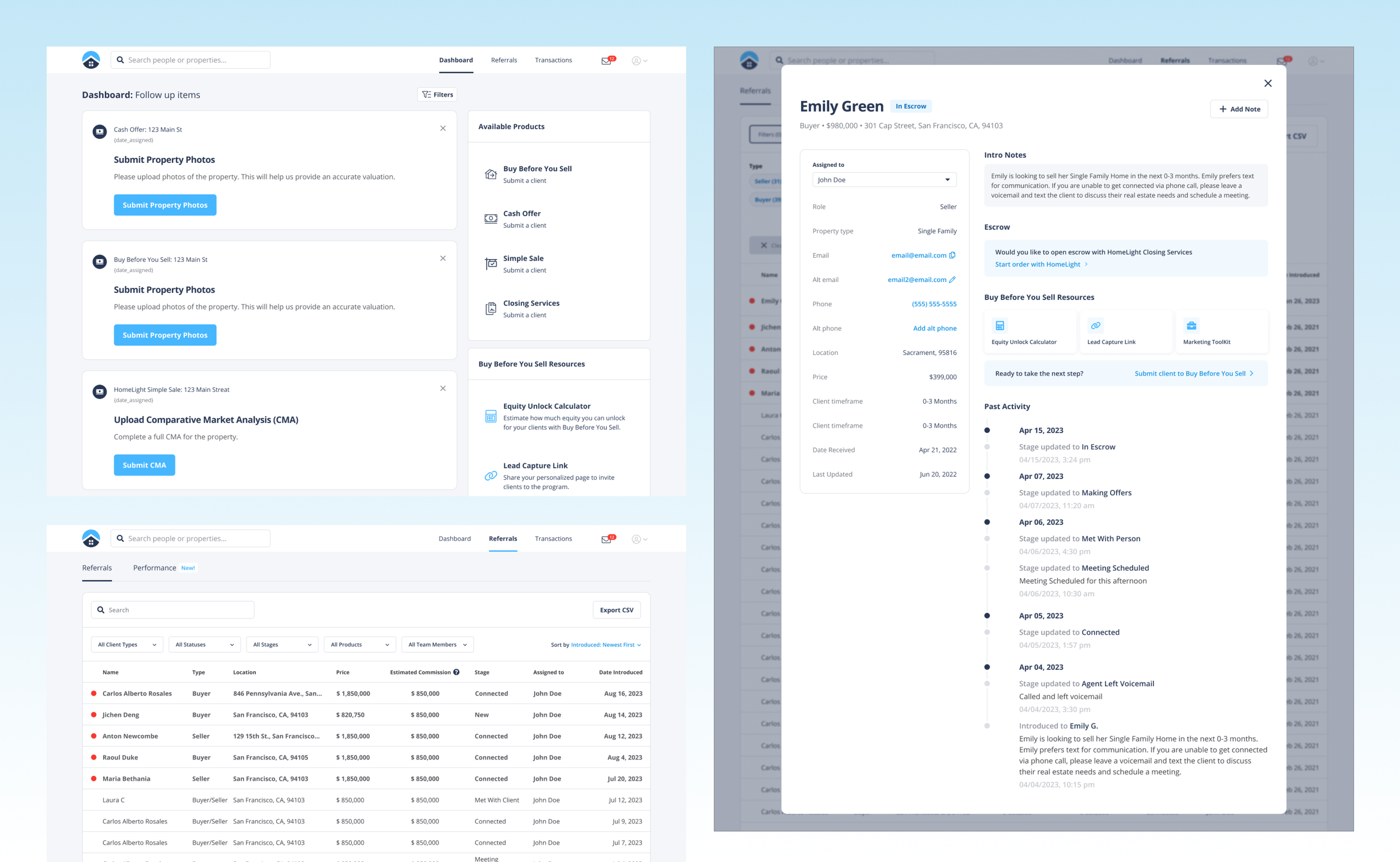
Client’s profile
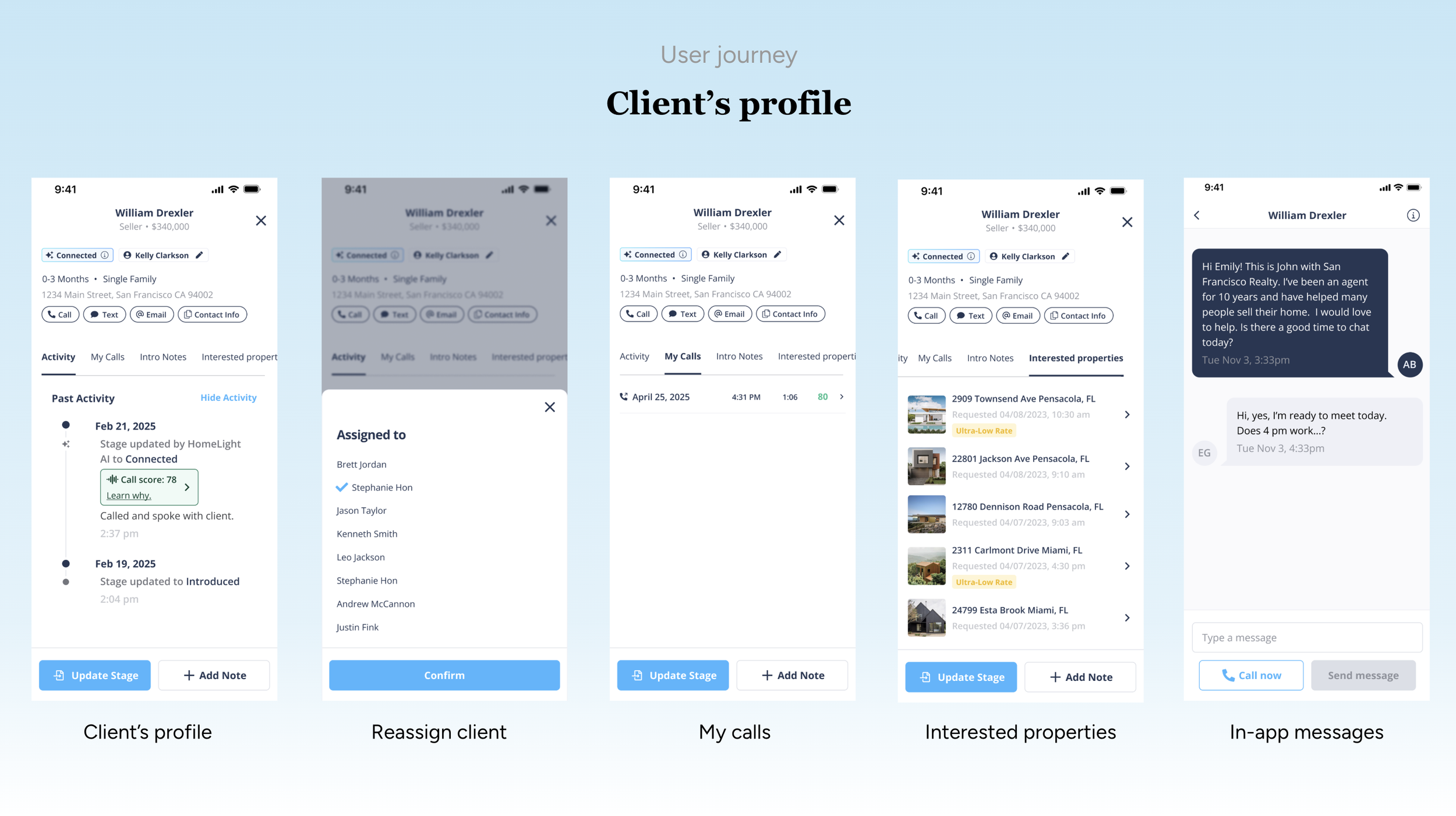
A lead-focused CRM that combines communication, pipeline tracking, and behavioral insights into a single client view, helping agents quickly move leads toward conversion.
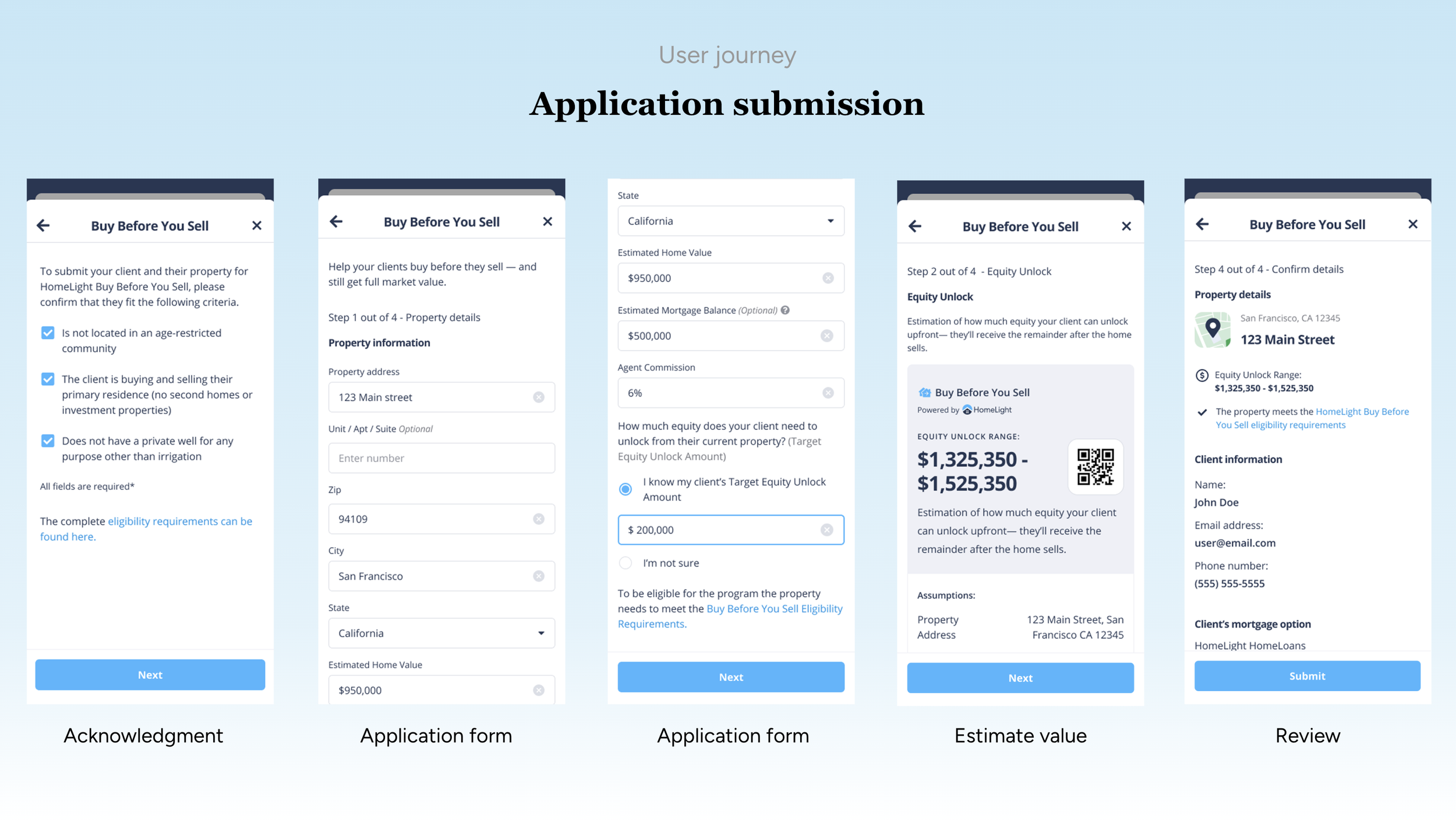
Application submission
Acknowledgment: Agent confirms eligibility with a checklist (filters out unqualified applicants).
Application (Property + Financials): Collects property details and financial info like home value, mortgage, and target equity.
Estimate Value: Shows a personalized equity unlock range based on inputs (key value moment).
Review & Submit: User checks all details and submits the application.
Overall, it moves from qualification → data entry → value preview → confirmation, keeping the process simple and structured.