
Eva AI is the industry’s first agentic AI escrow officer. It’s a dashboard with an AI-driven workflow to support the end-to-end real estate closing process.
Open escrow orders in minutes instead of hours
Automatically coordinate with lenders, HOAs, and government offices
Complete critical steps like document ordering and fund transfers with minimal manual input
Maintain security with end-to-end encryption across the transaction
At-A-Glance
As the lead product designer, I drove the 0→1 UX strategy and defined interaction patterns, designing prompts and system behaviors, and thinking through edge cases to make AI output more reliable and actionable. I shadowed Title, and Escrow Officers to understand their pain points and workflows firsthand.
Team
1 Product manager
4 Engineers
Tool
Figma
Timeline
3 months
Problems
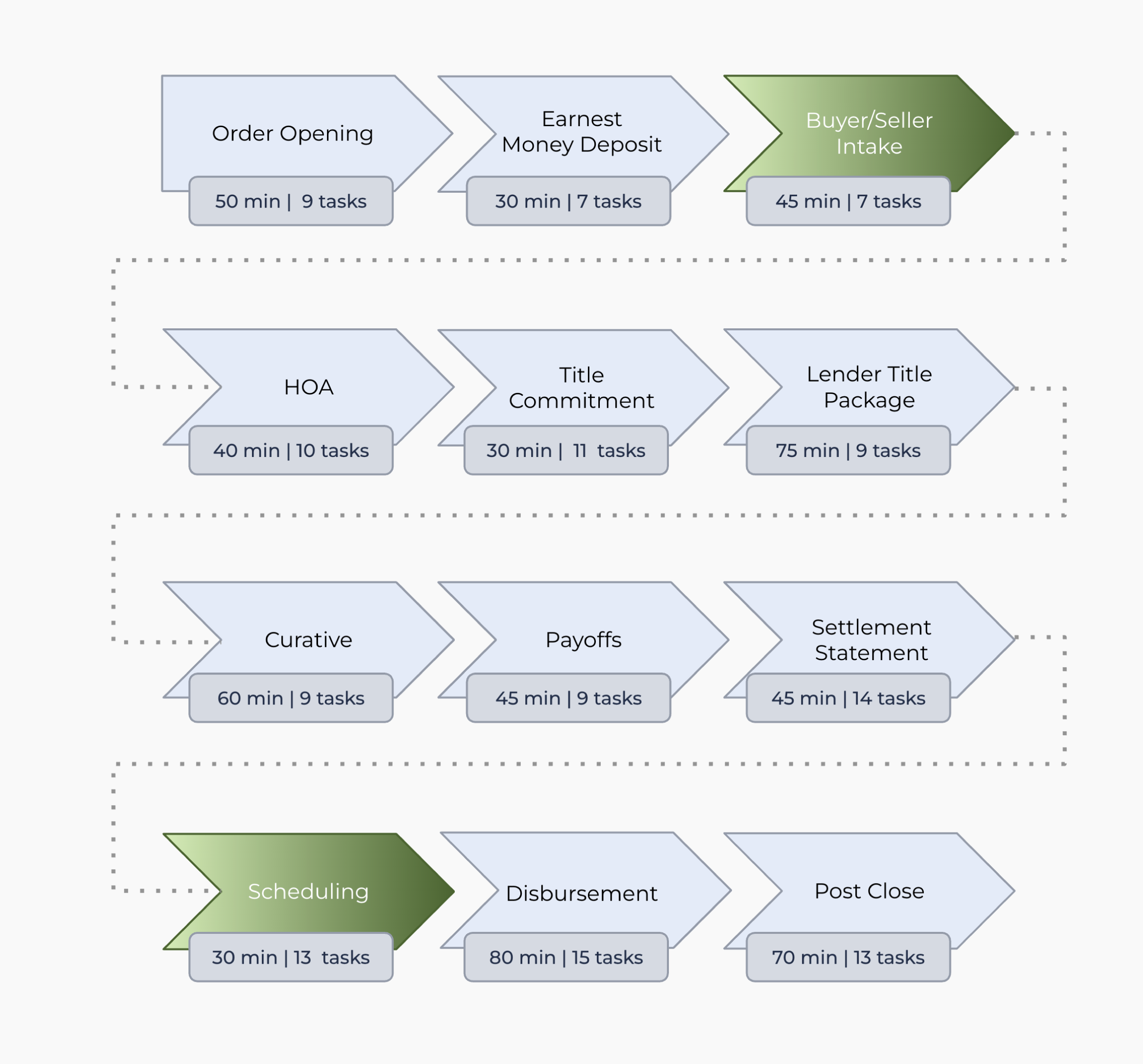
The escrow process is lengthy and complex, involving 126 distinct tasks across 12 different categories that could take up to 3 days. Much of this work is manual, with limited opportunities for automation or AI support, and expanding the team to handle the workload is costly.
Design hypthoesis
Escrow officers would benefit from agentic AI that can coordinate tasks, track deadlines, and manage documentation across the entire closing process. This includes AI that can automate routine communications, flag risks or missing items, send emails on their behalf, and guide next steps—essentially acting as a workflow manager and compliance assistant to reduce manual oversight.
Business Opportunity
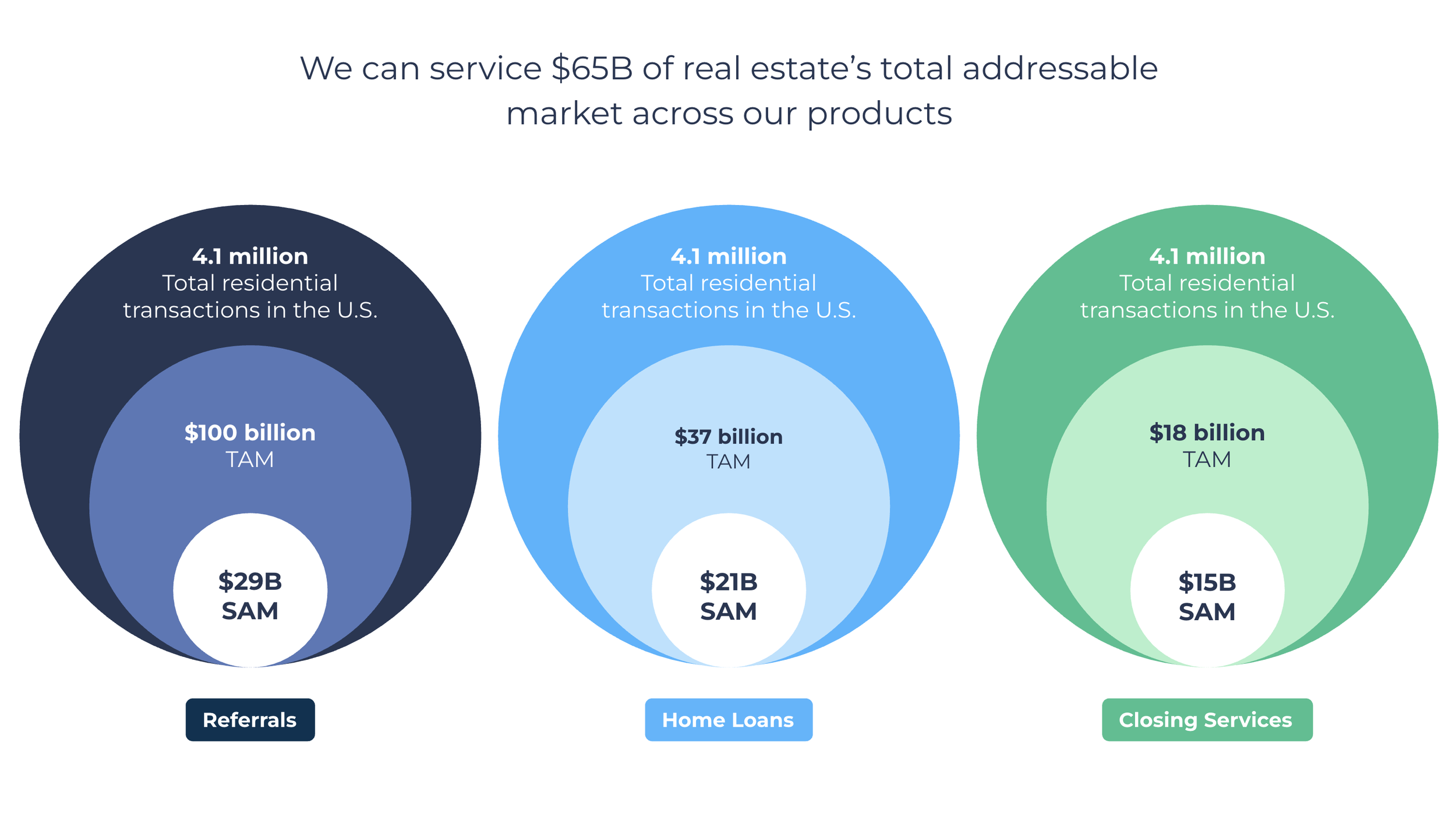
We saw this opportunity of build a platform that help Escrow Officers to close faster and provide visibility, turning complex manual workflow to automated process.
User Research
I interviewed 15 Escrow officers and internal business ops who deals with average of 3-5 closing a month
Journey mapping sessions with 5 Escrow officers
Cross-functional stakeholder workshops to understand technical visibility vs. user needs
Design Exploration
I initiated brainstorm session with team, assumptions are made based on user research and team expertise. Based on the assumption, I worked with PMs and engineers to ship the initial MVP in 3 months to test product-market fit.
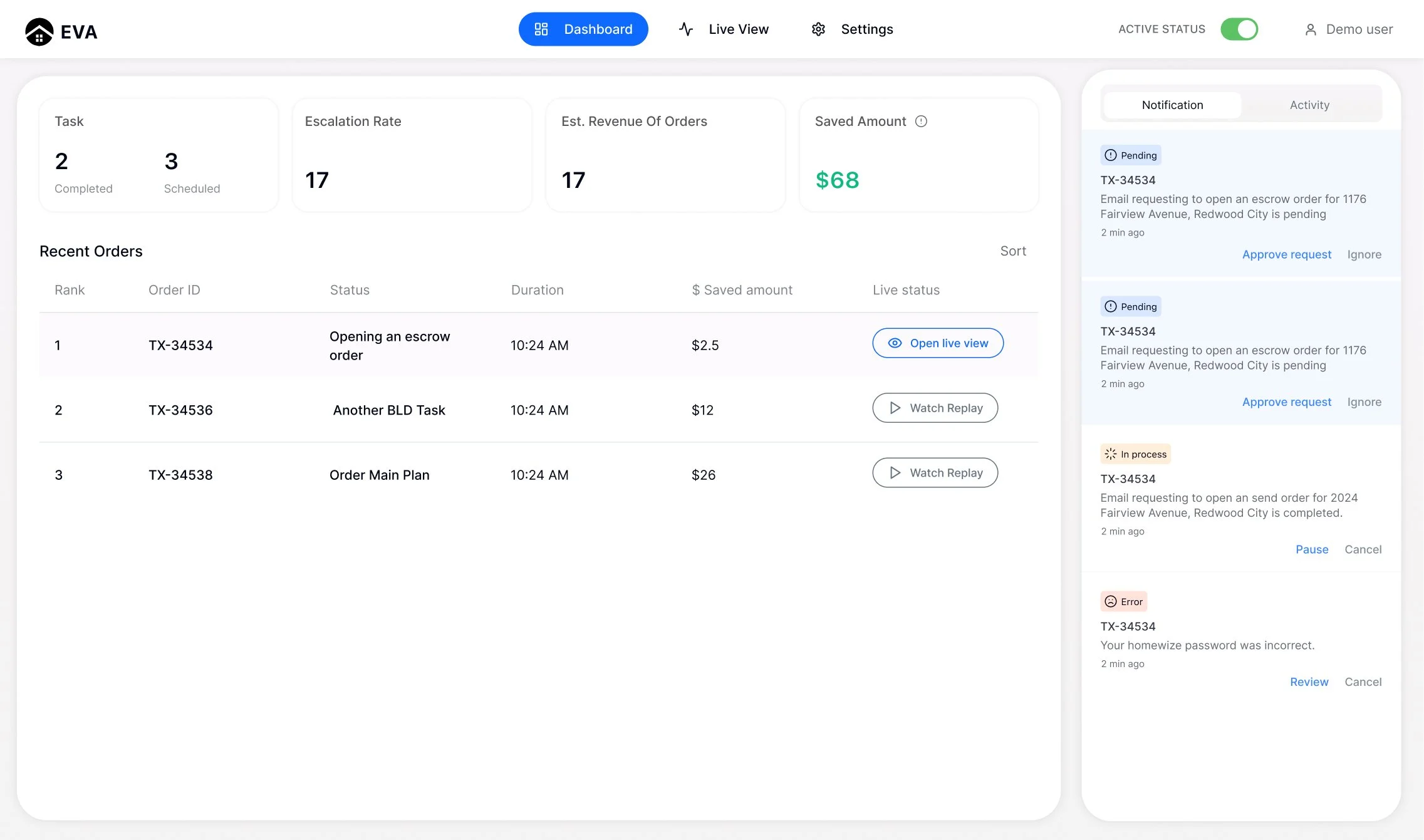
1
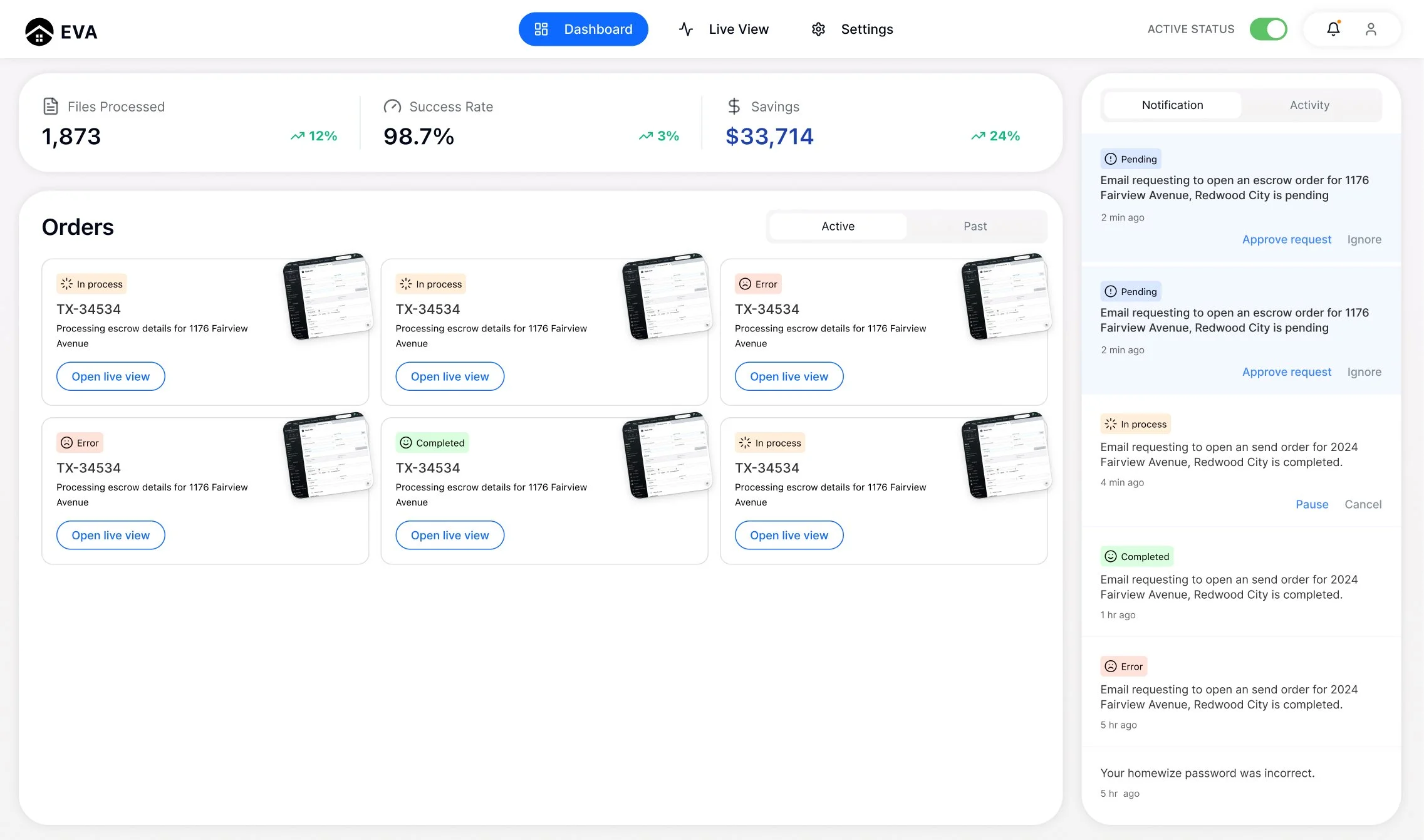
A high-level overview with metrics
Files processed, success rate, savings, active orders, and a notification panel. Each order card shows status in process, error, and completed.
2
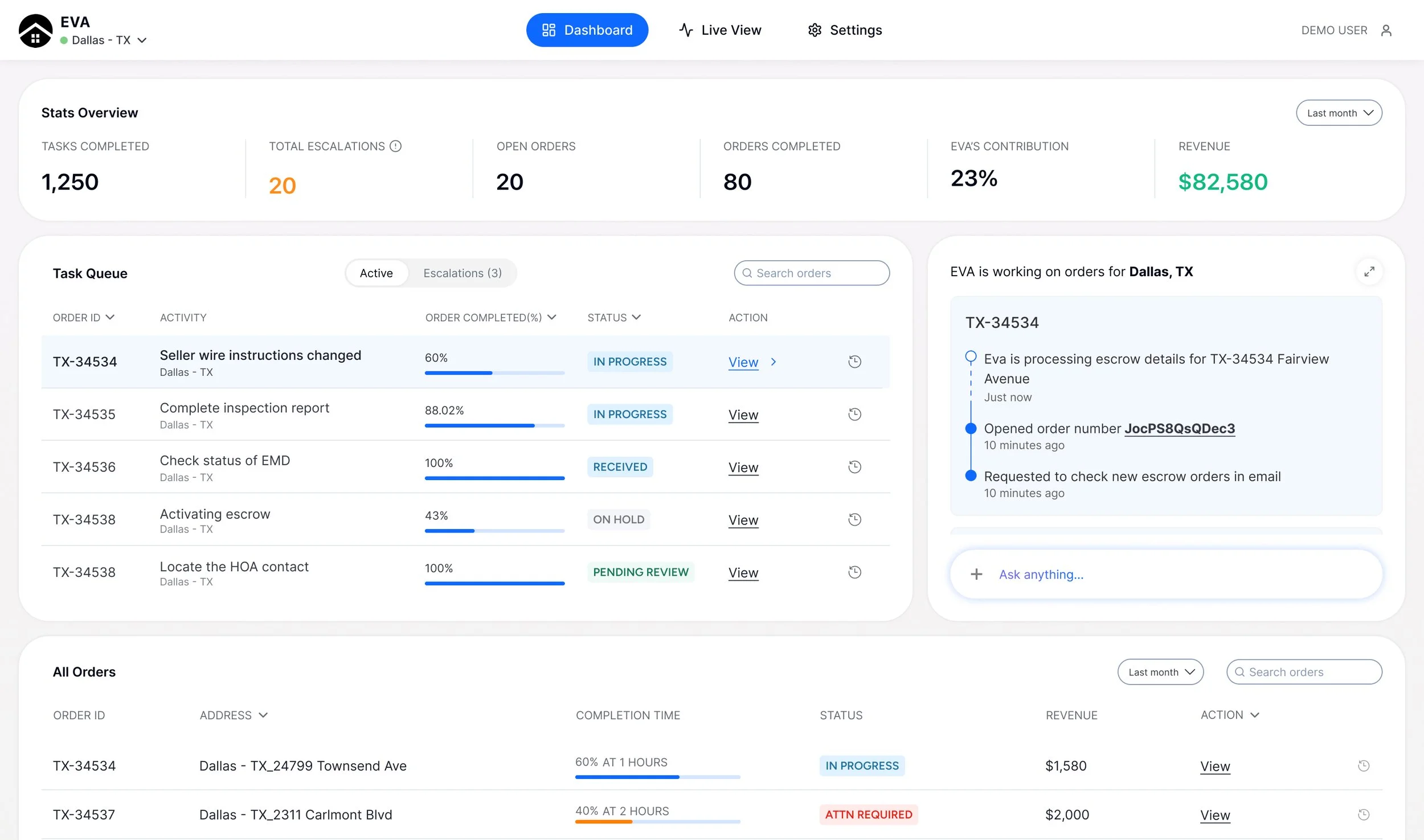
Task + performance view
Focuses on operational metrics (tasks completed, escalation rate, revenue impact) and a table of recent orders with statuses.
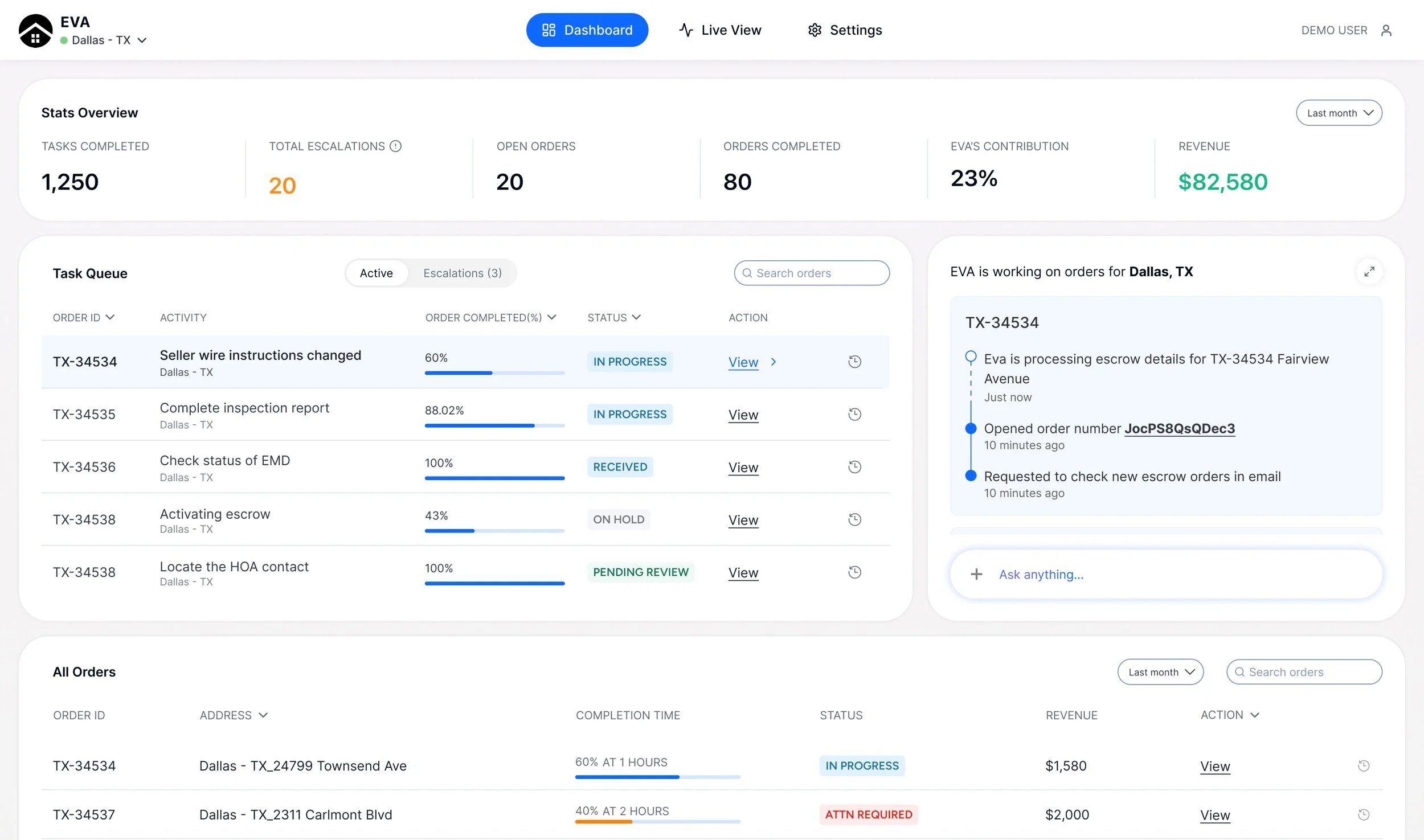
3 (Winner)
Queue + live AI activity
Advanced operations view showing a ranked task queue, progress bars, revenue per order, and a real-time feed of what the Eva AI is actively doing step-by-step.
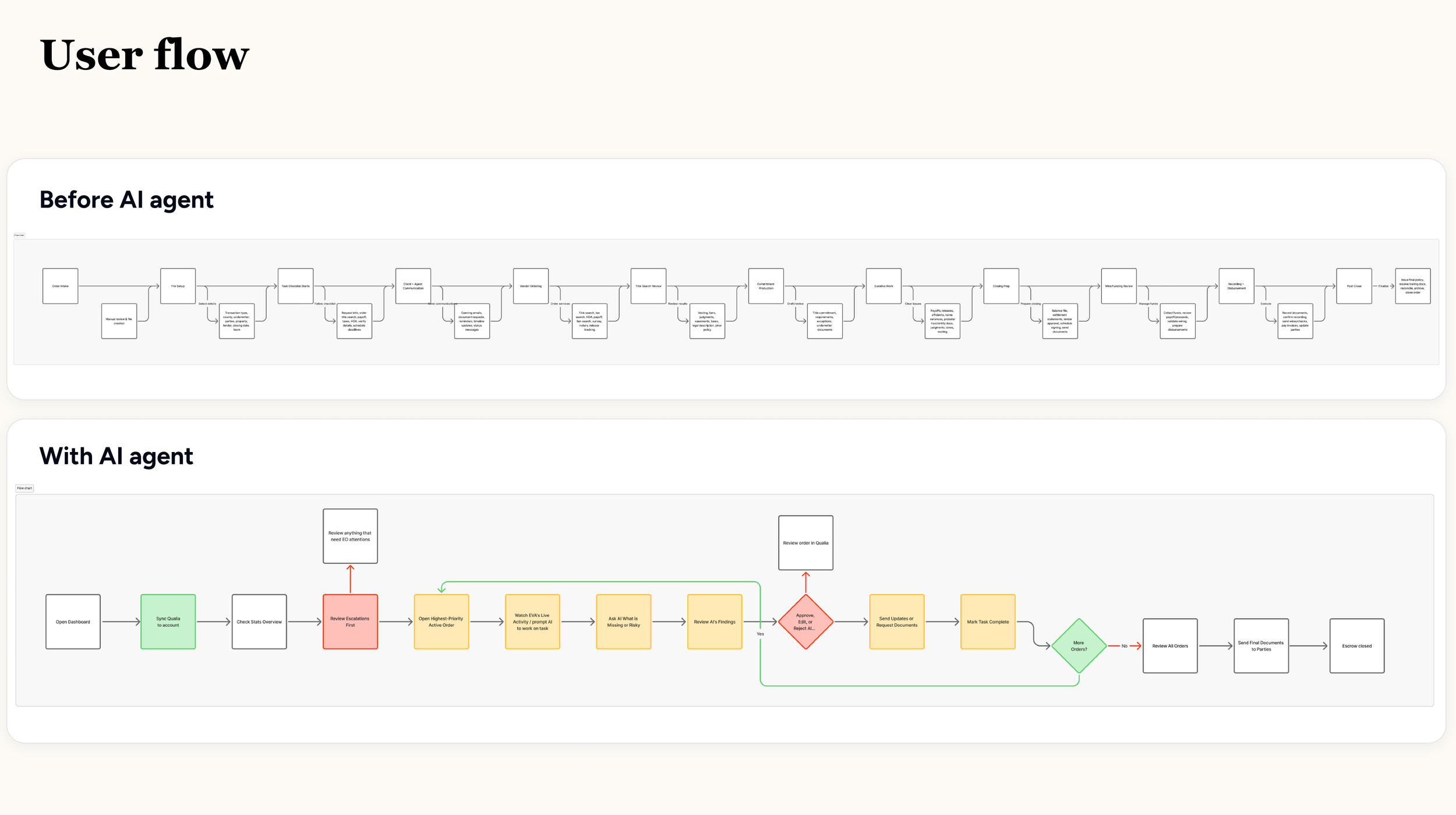
How Eva AI works
Check Active Status
Turn Eva AI on/off using the active status toggle.Review Task Queue
See active escrow orders ranked by priority, including order ID, activity, completion %, revenue, and action.Identify Escalations
Click the Escalations tab to review tasks that need human attention.Open Live View
Select Open live view to see what Eva AI is currently doing on an order.Respond to Notifications
Approve, ignore, pause, cancel, or review requests from the notification panel.View Chat / Replay
Open chat or replay to audit Eva AI’s actions and understand what happened.Take Action on Errors
Review failed tasks, correct issues, and resume the escrow workflow.
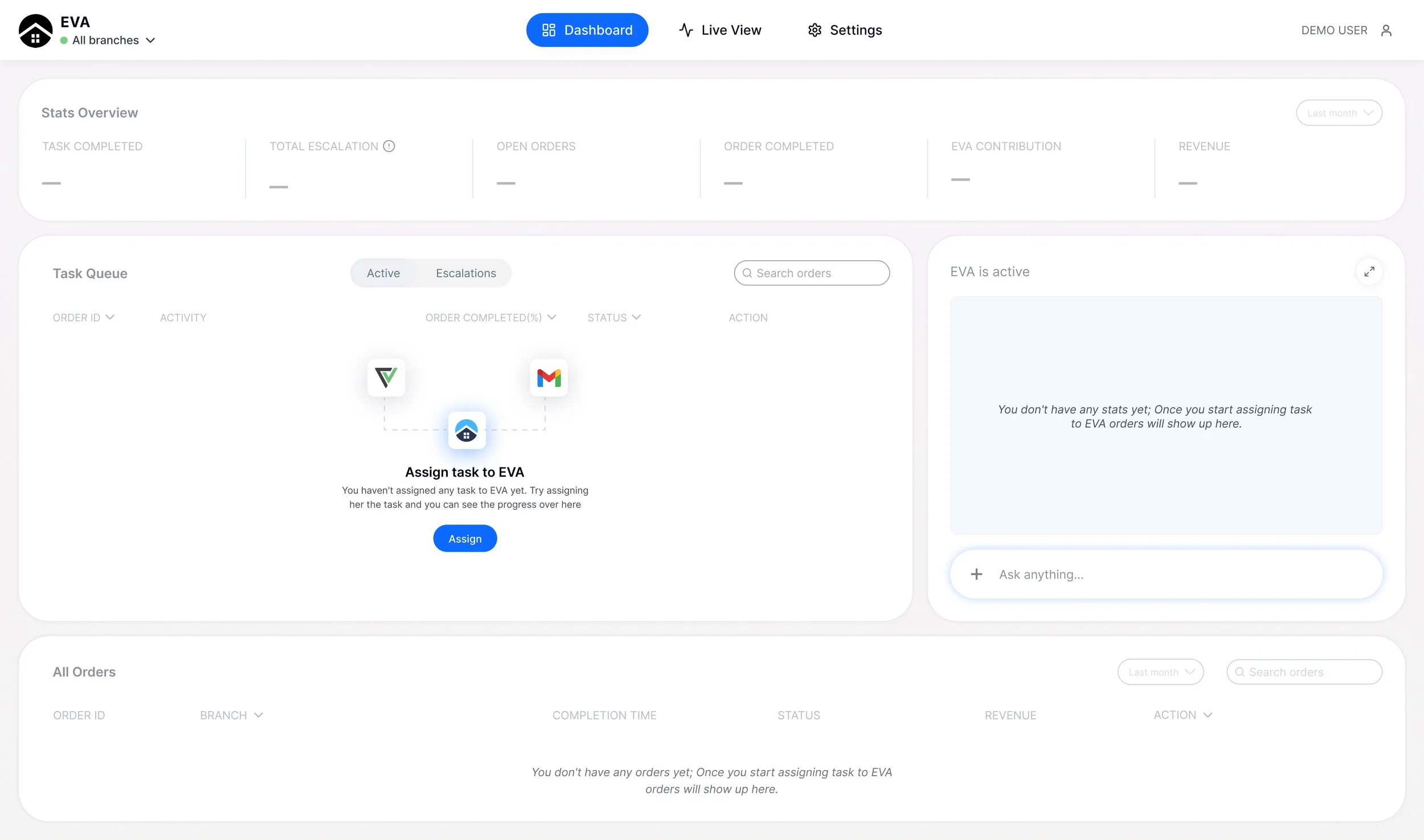
First time experience
The interface guides the user to get started by assigning a task to Eva AI. On the right, Eva AI is turned on but has no active tasks, reinforcing that work begins once a task is assigned.
Task
The task queue ranks ongoing orders by priority, showing progress, value, and quick actions like live view or chat.
Below is a table of all orders gives a broader view of status, completion progress, and revenue, making it easy to track overall operations.
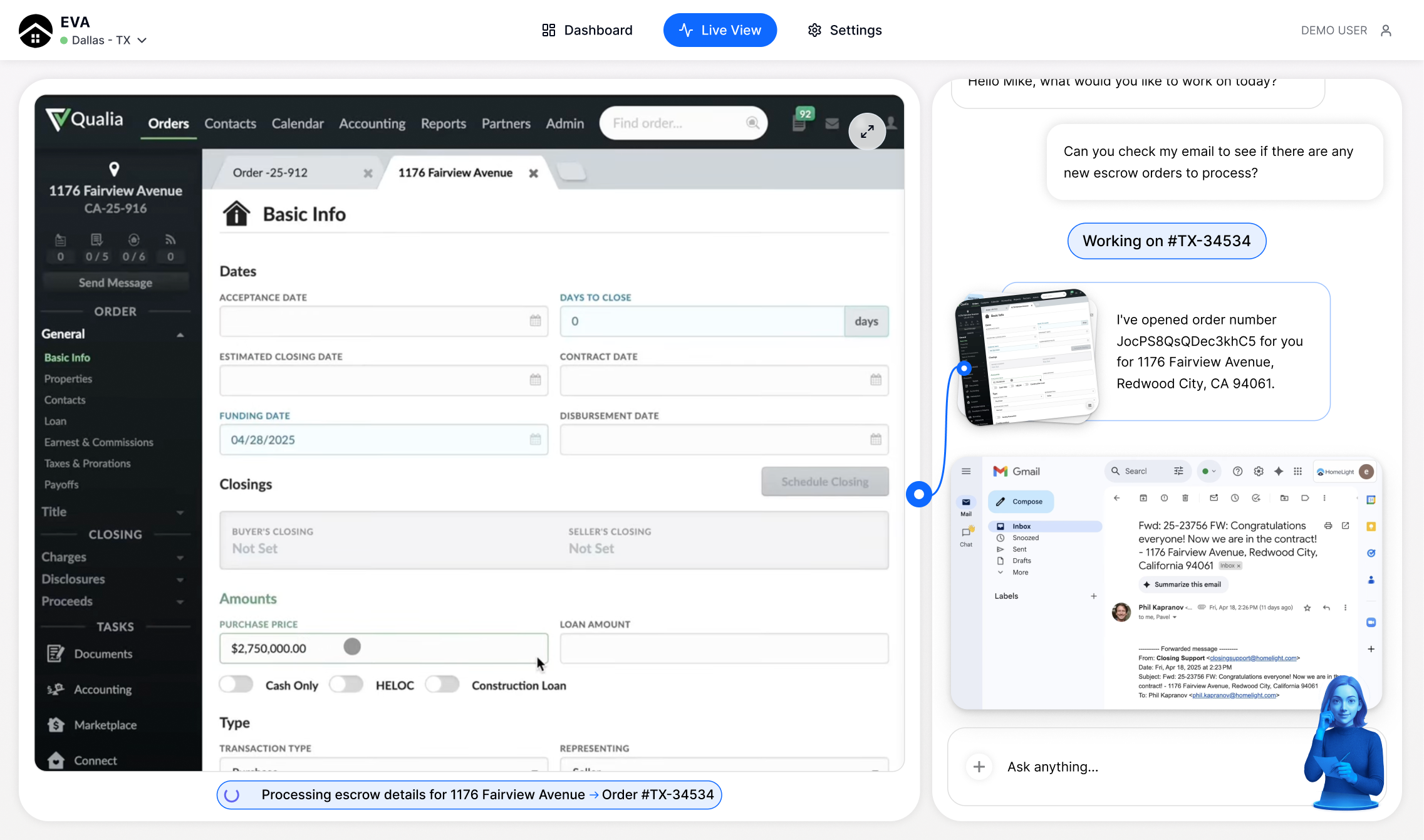
Live View
Eva AI actively processing an escrow order. On the left, the escrow file details are being filled out in real time, while on the right, a chat interface shows the interaction.
Provide next step
Eva AI confirms it has opened a new escrow order and is pulling information from an email. Eva AI automates data entry and workflow steps while keeping the user informed through a conversational interface.
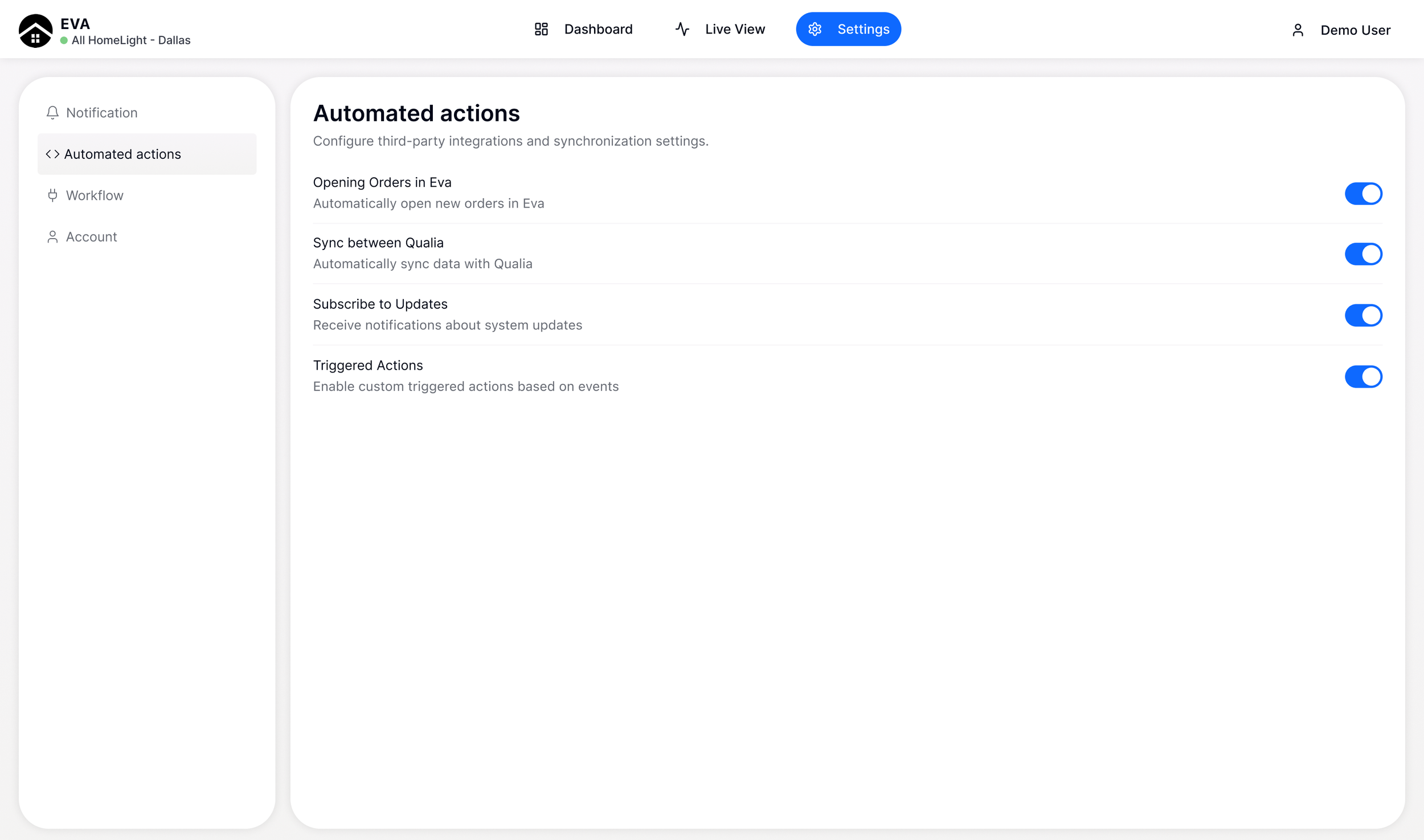
Settings
Escrow officers can update their automation actions in Settings or connect with their google suite in Workflow.
Result
The MVP version improved operational efficiency by 60%, saving approximately 50 hours of manual work.
HomeLight secures $40M in Financing to Scale Platform Nationwide because of Eva AI!